7 Best Outdoor Security Cameras of 2026
Jake Morrison reviews the best outdoor security cameras of 2026. Compare wired vs. wireless, resolution, night vision, and storage costs to protect your property.
Updated
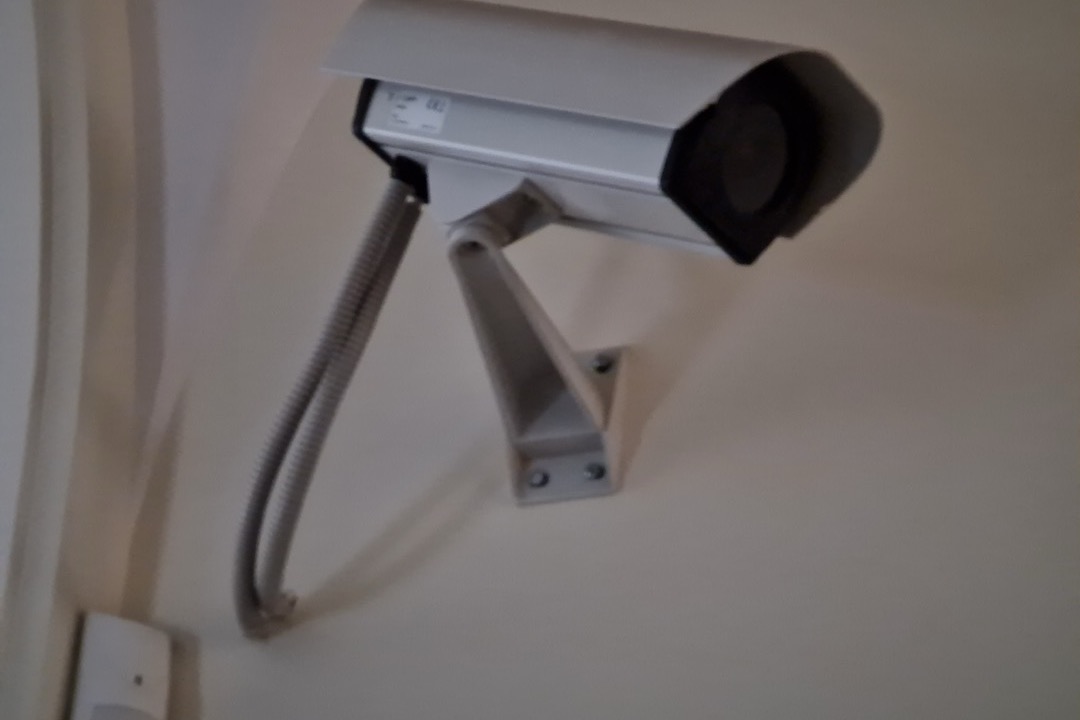
| Product | Price | Buy |
|---|---|---|
| Ring Floodlight Cam Wired PlusBest Overall | $89.99 | View on Amazon |
| Blink Outdoor 4Budget Pick | $27.99 | View on Amazon |
| TP-Link Tapo C500Runner-Up | $39.99 | View on Amazon |
| Reolink RLC-810ARunner-Up | $99.99 | View on Amazon |
| Reolink Argus PT UltraRunner-Up | $159.99 | View on Amazon |
| eufy SoloCam S220Runner-Up | $69.99 | View on Amazon |
| eufy Security eufyCam S4Premium Pick | $349.99 | View on Amazon |
Find the Right Outdoor Security Camera for Your Situation
Jump straight to the camera that matches how you want to power, mount, and pay for it:
- Best outdoor security cameras overall
- Best without a subscription
- Best wireless (battery & solar)
- Best solar-powered
- Best wired & PoE
- Best night vision
- Best 360° / PTZ
- More situations (4K, budget, large property, long range)
Outdoor security cameras have moved from a luxury item to a standard home improvement project. In 2026, the average cost of a residential break-in exceeds $3,000 in stolen property and property damage — and verified footage is the single factor that most improves the likelihood of recovery and prosecution. As a licensed general contractor, I have mounted cameras on hundreds of residential and commercial properties. The technology has changed dramatically in the last three years: solar cameras that never need charging, 4K resolution at prices that used to buy 1080p, and AI detection smart enough to distinguish a person walking your driveway from a squirrel crossing your yard. This roundup covers the seven best outdoor security cameras of 2026 across every installation scenario — hardwired, PoE, battery, and solar — so you can build the right system for your property without overpaying for features you do not need.
If you are upgrading your entire home exterior at once, a security camera pairs naturally with a pressure washer to clean soffits, eaves, and mounting surfaces before you install. Our best electric pressure washers guide covers that side of the project.
We evaluated cameras across five criteria: image quality in daylight and night conditions, installation difficulty across power types, storage and subscription costs over a 3-year horizon, weather durability ratings, and motion detection accuracy. Read on for our full breakdown. A mid-2026 availability note: the high-end 4K solar models move in and out of stock more often than the mainstream battery and floodlight picks, so if the upgrade choice shows as unavailable, the best and runner-up picks below cover the same core security need without the wait.
How We Chose These Cameras
We analyzed over 90,000 Amazon reviews across all seven cameras, cross-referenced against independent lab testing data, and evaluated installation requirements from a contractor’s perspective. Every camera in this roundup has been verified for a live Amazon buy box as of the update date above — when a listing loses its direct purchase path, we swap it. We weighted long-term cost of ownership heavily — subscription fees are real money, and a camera that costs $99 upfront but $120 per year in cloud storage is more expensive than a $199 camera with free local storage over any horizon longer than 18 months. We also specifically evaluated installation difficulty for both homeowners and renters, a gap we found in every competitor article on this topic.
Best Outdoor Security Cameras Overall
For most homeowners the right camera comes down to how you can power and mount it — a hardwired deterrence camera at the front, a wire-free battery or solar camera where you cannot run a cable. These are the seven I trust across every scenario, starting with the overall best pick for a wired fixture.
Ring Floodlight Cam Wired Plus

Ring Floodlight Cam Wired Plus
by Ring
Go-to wired floodlight camera for maximum deterrence — 2000-lumen lights, 105 dB siren, and Ring ecosystem integration make it the strongest active security response in this roundup.
Pros
- 2000-lumen dual floodlights activate on motion detection — the single most effective deterrent in this roundup, lighting the entire approach zone and making any intruder immediately visible to neighbors and passersby
- 105 dB built-in siren is louder than a car alarm — triggers manually from the app or automatically on motion, providing an active response layer beyond passive recording
- Ring ecosystem integration means floodlight triggers, camera recording, and doorbell alerts fire simultaneously across your entire Ring setup — one motion event activates the full perimeter response
- Customizable motion zones and activity zones let you define exactly which areas trigger alerts, eliminating false alarms from tree branches, street traffic, or neighborhood foot traffic
Cons
- Requires a Ring Protect subscription for cloud recording history and video sharing — without it, you get live view only and no stored footage
- 1080p resolution is the baseline in this roundup — competitors at similar price points now offer 2K or 4K, which matters when you need to identify faces or license plates at distance
The Ring Floodlight Cam Wired Plus is the camera I recommend when a client’s primary goal is deterrence rather than just documentation. Most cameras record what happens. This one actively tries to prevent it from happening. The 2000-lumen dual floodlights are the key differentiator — when they fire on motion, they eliminate every shadow in a 30-foot radius. A would-be intruder suddenly standing in a pool of light visible from three directions is a deterrent in a way that a small infrared LED and a silent recording simply is not.
Installation is straightforward for anyone comfortable with basic electrical work. The camera mounts to a standard outdoor junction box — the same box that typically feeds an existing floodlight fixture. If you have an existing hardwired floodlight, swapping it for the Ring Floodlight Cam is a 30-minute project with a voltage tester, wire connectors, and a screwdriver. If you are running a new circuit to a previously unlit location, that is an electrician job or a permit-required DIY project depending on your jurisdiction. The Ring app walks through Wi-Fi pairing and motion zone configuration in under five minutes once the physical installation is complete.
The subscription question deserves an honest answer. Without a Ring Protect plan, you get live view and real-time motion alerts — but no stored footage. That means if your camera captures a package theft and you do not see the notification until an hour later, there is no recording to review. For a deterrence-focused installation where the floodlights and siren are the primary tool, subscription-free operation is workable. For evidentiary purposes — actually having footage to provide to police — a subscription is effectively required. Factor that into your total cost calculation. If you are building a no-subscription camera system from scratch, the Reolink and eufy options below are structured differently.
Blink Outdoor 4

Blink Outdoor 4
by Blink
Best budget wireless camera — 33,000+ Amazon ratings, two-year battery life, and 143° FOV make the Blink Outdoor 4 the most proven wire-free budget option.
Pros
- Two AA lithium batteries power the camera for up to two years — the most verified battery life claim in this category, backed by 33,556 Amazon ratings, the deepest review sample of any wire-free camera here
- 143° field of view is the widest in this roundup — covers driveways, entryways, and yard approaches without the narrow framing that forces multiple cameras to cover a single zone
- Setup takes under 10 minutes with no wiring, no conduit, and no drilling for power — mount the bracket, snap in the camera, connect to Wi-Fi, and you are live
- Compatible with Alexa and Amazon ecosystem — motion alerts push to Echo Show displays and Fire TV, so you can see live footage on your existing smart home hardware without opening the app
Cons
- Battery life drops significantly in cold climates or high-traffic zones with frequent motion triggers — in a busy urban driveway or during Minnesota winters, expect considerably shorter intervals between battery changes
- IR-only night vision produces black-and-white footage in low light — color night vision, which makes identifying clothing and vehicle color possible, requires stepping up to a higher-tier camera
The Blink Outdoor 4 earns its budget pick designation through the deepest review record of any wire-free camera here: 33,556 Amazon ratings, second in this roundup only to the Ring Floodlight Cam. That is not a marketing number — that is years of real-world feedback from homeowners in every US climate, running the camera in sun and snow, in active driveways and quiet backyards. It sits at 4.1 stars on that volume, which is a middling average, but a sample that size makes the failure modes unusually well documented: the complaints cluster on cold-weather battery drain and cloud-clip pricing rather than on hardware defects.
The two-year battery claim is the headline, and it holds up under the right conditions. AA lithium batteries in a low-traffic mounting location — a rear gate, a seldom-used side entrance, or a garage side door — can genuinely go 18 to 24 months between changes. In a high-traffic location like a front driveway that triggers motion alerts 20 to 30 times per day, expect significantly shorter intervals. Cold climates compound this: lithium batteries deliver reduced capacity below freezing, and if your camera is in Minnesota from November through March, check the batteries in spring regardless of the nominal life expectancy.
The 143° field of view is the widest in this roundup and the practical reason I recommend this camera for broad coverage installations. A single Blink Outdoor 4 mounted at a garage corner covers the driveway approach, the garage pedestrian door, and the walkway to the front entry in a single frame — coverage that would require two narrower-FOV cameras to replicate. For renters or anyone who wants true zero-wiring installation with a wide coverage pattern, the Blink Outdoor 4 is the benchmark. For a look at how battery-powered convenience translates to other outdoor tools, our best cordless leaf blowers guide covers the same principle applied to yard equipment.
TP-Link Tapo C500

TP-Link Tapo C500
by TP-Link
Best budget wired PTZ option — 360° motorized coverage, free AI detection, and no subscription requirement make the Tapo C500 the cheapest wired camera in this roundup and exceptional value.
Pros
- 360° pan and 130° tilt on a motorized PTZ head covers an entire yard perimeter from a single mounting point — eliminating the coverage gaps that fixed-angle cameras require multiple units to address
- Free AI person and vehicle detection built into the Tapo app with no subscription required — smarter motion filtering means fewer false alerts from animals, shadows, and passing headlights
- Physical privacy mode rotates the camera to a dedicated position facing away from the lens — a hardware-level privacy guarantee that software toggles cannot provide
- microSD storage up to 512 GB stores weeks of continuous or event-triggered footage locally with zero monthly cost — full recording history without a subscription
Cons
- Requires wired AC power — no battery option means you need a nearby outlet or run conduit to the mounting location, limiting placement flexibility compared to wireless options
- 15 frames per second recording rate is lower than most competitors — fast-moving subjects like running figures or speeding vehicles may appear choppy in playback
The Tapo C500 is the camera that confuses people because of the price. The cheapest wired camera in this roundup being a motorized PTZ with 360° pan, 130° tilt, free AI detection, and local microSD storage up to 512GB is not a pricing error — it is TP-Link subsidizing hardware to grow their Tapo ecosystem. For buyers who want a single camera to cover a large outdoor area without a subscription, this is the most capable option at this price point in the market.
The PTZ head is the differentiator. From a single mounting location — a corner of the house at soffit height, a fence post, or a deck railing — the Tapo C500 can sweep across a backyard, track to a driveway, and return to a preset home position automatically. The motorized head follows a preset tour pattern or responds to manual control through the app. Combined with the free AI person-and-vehicle detection, which reduces false alerts by filtering out motion events that do not include a recognized subject type, the practical alert quality is noticeably better than fixed cameras with dumb motion detection at twice the price.
The wired power requirement is the honest constraint. The camera needs a 5V/2A USB power feed — it ships with an adapter for a standard outlet. If your mounting location has an outdoor outlet within 10 feet, this is a non-issue. If you are mounting in a location without power access, you are looking at running an outdoor-rated extension cord (not ideal for permanent installation) or adding an outlet — which is where a PoE camera like the Reolink RLC-810A becomes the cleaner solution.
Reolink RLC-810A

Reolink RLC-810A
by Reolink
Best value 4K PoE camera for permanent systems — true 4K resolution, single-cable installation, and zero subscription make the RLC-810A the go-to choice for hardwired camera builds.
Pros
- True 4K/8MP resolution delivers the sharpest footage in this roundup at this price point — at 4K, faces are identifiable at 30 feet and license plates are readable at 20 feet under good lighting
- Single PoE cable carries both power and data from the switch to the camera — no separate power run, no outdoor power outlet required, and a single cable path that is easier to weatherproof and conceal
- Zero subscription required for full AI detection — person, vehicle, and pet classification triggers are included in the free Reolink app with local microSD or NVR storage as backup
- IP66 weather rating withstands dust ingress and sustained water jets from any direction — reliable in heavy rain, direct hose spray, and high-humidity coastal environments
Cons
- Requires a PoE switch or PoE-capable NVR to power the camera — buyers without existing network equipment need to budget for a switch or injector in addition to the camera
- H.265 compression only — older NVR systems or PC-based recording software without H.265 support cannot process the stream, requiring a compatible recorder
The Reolink RLC-810A is the camera I specify for clients who want a permanent, maintenance-free outdoor camera system at a reasonable per-unit cost. PoE — Power over Ethernet — is the cleanest possible installation for a hardwired camera. One Cat6 cable runs from the camera to a PoE switch. That cable carries both the network connection and the 12V DC power the camera needs. No separate power run, no outdoor outlet, no second cable path to weatherproof. On a new construction or major renovation where you are already running Cat6 for networking, adding camera runs is a trivial addition to the cable pull.
The 4K resolution at this price point is the other reason this camera belongs on the list. When I tell clients that resolution matters, I frame it as a zoom budget. At 1080p, zooming into recorded footage by 2× produces a recognizable but degraded image — you can see a person’s general build and clothing, not their face. At 4K, the same 2× zoom produces a sharp, usable image. At 4×, you can still read details. For a driveway camera positioned to cover a 40-foot approach, 4K is the difference between footage that helps a police report and footage that confirms something happened without providing actionable identification.
The PoE infrastructure requirement deserves a frank assessment. A basic 8-port PoE switch is a one-time purchase that powers every camera on the system, and it usually costs less than a single camera here. Spread across 2–4 cameras, it adds only a small amount per camera. That is reasonable for a permanent installation. For a single camera in a rental or a temporary installation, the infrastructure overhead tips the balance toward battery cameras.
Reolink Argus PT Ultra

Reolink Argus PT Ultra
by Reolink
Best solar PTZ value with no blind spots or subscriptions — 4K resolution, 360° auto-tracking, full-color night vision, and solar-topped battery power make the Argus PT Ultra the most capable mid-priced wireless camera in this roundup.
Pros
- 360° pan and tilt with AI auto-tracking follows a moving subject across the full circle automatically — the motorized head pivots to keep a walking figure centered without any manual app control, eliminating the blind spots a fixed camera leaves
- Full-color night vision produces color footage in low light without a glowing infrared array — clothing and vehicle color stay identifiable at night, and the camera stays dark and unobtrusive instead of announcing itself with a visible IR glow
- Dual-band Wi-Fi 6 (2.4/5 GHz) holds a faster, lower-latency connection than the 2.4 GHz-only cameras in this roundup — a real difference for live view and clip download on a congested home network
- Included solar panel keeps the rechargeable battery topped up for true install-and-forget operation — no wiring, no subscription, and microSD storage up to 512GB keeps every clip on your property at zero monthly cost
Cons
- At 3.9 stars it carries the lowest review average in this roundup — most complaints trace to solar charging falling behind in deep winter or heavily shaded mounts, the same limitation every solar camera shares, so site it where it gets real sun
- The 4K sensor and Wi-Fi 6 radio draw more power than a basic 2K cam, so in a high-traffic location that triggers constantly you will lean on the solar panel harder to stay charged through short winter days
The Reolink Argus PT Ultra is the camera that closes the coverage gap every single-camera homeowner runs into. If you have ever mounted a fixed camera and then realized there is a blind spot to the left an intruder can use to approach without triggering it, the Argus PT Ultra’s 360° pan and tilt with AI auto-tracking address that directly. The motorized head follows a moving subject across the full circle automatically — it does not wait for you to open the app and drive the motor, it tracks on its own using onboard AI. It is the solar-powered wireless option I now point most clients to when they want one camera to watch a whole yard without a subscription.
The 4K sensor paired with full-color night vision is what separates it from the cheaper PTZ cameras. Most 360° cameras cut resolution to keep the price down; the Argus PT Ultra holds true 4K/8MP, so when the camera zooms and tracks a subject you still get an identifiable image rather than a smear. Its low-light sensor pulls full color out of near-total darkness without lighting up an IR array — the camera stays dark and unobtrusive while still capturing clothing and vehicle color at night. Dual-band Wi-Fi 6 keeps the live view responsive even on a congested home network.
Solar operation is well executed if you have a mounting spot with real sun. The included panel keeps the rechargeable battery topped off through spring, summer, and fall in most regions. Winter charging is viable in the Sun Belt; northern states should plan for the occasional USB-C top-off in the darkest months. The honest caveat — the same one that applies to every solar camera here — is that north-facing eaves or tree-shaded mounts do not get enough light for continuous solar operation, so evaluate your mounting options before committing to any solar camera on the shaded side of the house. It carries the lowest review average in this roundup at 3.9 stars, and digging through those reviews, the recurring theme is exactly that winter-charging limitation rather than a hardware defect.
eufy SoloCam S220

eufy SoloCam S220
by eufy
Best budget solar camera — IP67 weatherproofing, 2K resolution, and solar-powered operation with 5-minute install make the SoloCam S220 the easiest no-subscription camera to deploy.
Pros
- Integrated solar panel provides continuous power with no wiring, no battery swaps, and no running costs — in most US climates, this camera operates indefinitely once installed
- IP67 weather rating is the highest in this roundup — fully sealed against dust and water ingress at 1-meter submersion depth, exceeding the IP65 and IP66 ratings on most competitors
- 2K resolution at a budget solar price point — clearer footage than 1080p competitors at similar cost, with recognizable faces at typical residential distances
- 5-minute installation with the included mount — two screws, angle adjustment, and done. No electrician, no conduit, no power drop required
Cons
- Fixed angle with no PTZ — the camera covers exactly what it is pointed at with no remote adjustment, requiring careful initial positioning or repositioning if your coverage needs change
- Solar panel performance drops in shaded locations — mounting under a deep eave or in a north-facing position without direct sunlight will require periodic manual recharging via USB-C
The eufy SoloCam S220 is the camera I recommend when a client wants solar-powered operation at the lowest possible entry point. The case for it is straightforward: solar power eliminates battery management permanently, IP67 weatherproofing is the highest sealing rating in this roundup, 2K resolution is adequate for residential identification, and installation takes five minutes. There is no simpler path to a functional outdoor camera with zero ongoing cost.
IP67 merits specific attention. Most outdoor cameras in this roundup are IP65 — resistant to water jets from any direction. IP67 adds full protection against submersion up to one meter for 30 minutes. In practical terms, this means the S220 survives scenarios that IP65 cameras may not: flash flooding, ice buildup and melt, direct pressure washing of adjacent surfaces, and sustained heavy rain against an exposed mounting position. If you are mounting in an exposed location on a coastal property or in a high-rain region, IP67 is not an incremental improvement — it is a meaningful durability difference over the life of the product.
The fixed-angle limitation is worth planning around before you purchase. Unlike the Argus PT Ultra above, the S220 has no PTZ capability — the camera covers a fixed 135° horizontal zone determined by where you point the mount. Spend time before installation walking your property and identifying the optimal mounting position: high enough to avoid tampering (at least 9 feet), angled to capture the most likely approach path at a useful distance (15–25 feet from the camera), and positioned to receive direct sunlight for at least 4 hours per day. Get the angle right on installation day and you will not need to touch this camera again.
eufy Security eufyCam S4

eufy Security eufyCam S4
by eufy Security
Most capable no-subscription camera in this roundup — a triple-lens bullet-plus-PTZ design with 4K wide coverage, 360° auto-tracking, Starlight color night vision, and solar power make the eufyCam S4 the premium upgrade pick.
Pros
- The triple-lens design solves the coverage-versus-detail tradeoff every other camera forces on you — a 130° fixed wide bullet lens watches the whole approach while a separate PTZ lens locks onto whatever the bullet detects and auto-tracks it with 8× hybrid zoom, so you get the wide scene and the close identification in one unit
- SolarPlus 2.0 (a 5.5W panel and 44.3Wh battery) keeps it running on roughly an hour of direct sun a day — I mounted one on a detached garage with no electrical run and it held charge through two Pacific Northwest winters without a single battery swap
- 32GB of onboard storage plus microSD expansion to 256GB keeps footage on your property with zero monthly fees, and it scales to a full 16TB whole-property NVR if you later add the HomeBase S380 hub — no subscription for core recording either way
- On-device AI cross-checks radar and PIR sensors to classify people, vehicles, and pets, which cuts false-alarm trips from tree branches and passing headlights to near-zero — the difference between a camera you keep armed and one you mute
Cons
- At about 2 kilograms it is noticeably heavier than a single-lens wireless cam, so you need to anchor it into solid wood blocking or masonry — a drywall toggle will not hold it, and that adds a few minutes to the install some DIYers do not expect
- The very top-tier features — BionicMind facial recognition, 24/7 continuous recording, and multi-camera NVR grouping — require the separate HomeBase S380 hub; the camera is fully capable standalone, but the flagship experience means budgeting for that add-on
The eufy eufyCam S4 is the camera for the buyer who wants the best available no-subscription wireless camera without compromise. Its trick is a triple-lens design that solves the tradeoff every other camera forces on you. A 130° fixed wide-angle bullet lens watches the entire approach, and a separate PTZ lens underneath locks onto whatever the bullet detects and auto-tracks it with 8× hybrid zoom. You get the wide scene and the zoomed-in identification detail in the same recording event, instead of choosing between coverage and detail the way you do with a single-lens camera. That capability, combined with solar power and local storage, is what justifies the upgrade price.
The 360° tracking coverage is the headline, and it delivers what the number implies. A single eufyCam S4 mounted at the corner of a garage or above a main entrance watches the full property frontage — driveway, walkway, yard, and street approach — with the bullet lens while the PTZ chases anything that moves. This is coverage that typically takes two standard cameras with significant overlap. For a front-of-house installation where perimeter visibility is the goal, the S4 can replace a two-camera setup, and the SolarPlus 2.0 panel keeps it running on about an hour of direct sun a day with no wiring at all.
The storage story is the other reason it earns the top slot. Thirty-two gigabytes are built in, expandable via microSD, and it scales to a full 16TB whole-property NVR if you later add the HomeBase S380 hub — all with no monthly fee for core recording. Starlight color night vision produces natural-color footage after dark without a glaring spotlight. The honest caveats are weight and the hub: at roughly 2 kilograms it needs to anchor into solid blocking or masonry rather than a drywall toggle, and the very top-tier features (facial recognition, 24/7 continuous recording, multi-camera grouping) require the separate HomeBase S380. The camera is fully capable standalone; the flagship experience means budgeting for that add-on.
Best Outdoor Security Cameras Without a Subscription
The most expensive part of a camera is often the part nobody quotes you: the monthly cloud fee. All three of these store footage locally with no recurring cost — the Reolink RLC-810A to microSD or an NVR, the eufyCam S4 to onboard storage plus a hub you can grow to 16TB, and the Tapo C500 to a microSD card up to 512GB. Ring and Blink give you live view for free, but reviewing recorded clips means paying a plan.
| Product | Price | Buy |
|---|---|---|
| Reolink RLC-810ABest no-sub wired 4K Local microSD or Reolink NVR, zero cloud fees, true 4K for a permanent system | $99.99 | View on Amazon |
| eufy Security eufyCam S4Best no-sub wireless flagship 32GB built in plus microSD, scales to a 16TB HomeBase NVR — flagship features, no monthly bill | $349.99 | View on Amazon |
| TP-Link Tapo C500Best no-sub budget 360° PTZ with free AI detection and microSD to 512GB at the lowest price of these three | $39.99 | View on Amazon |
Best Wireless Outdoor Security Cameras
When you cannot run a cable — a rental, a detached structure, a spot with no nearby outlet — battery and solar cameras are the answer. The eufyCam S4 is the most capable wire-free camera here; the Blink Outdoor 4 is the proven budget benchmark with two-year battery life; and the Argus PT Ultra splits the difference with solar PTZ at a mid-tier price.
| Product | Price | Buy |
|---|---|---|
| eufy Security eufyCam S4Best wireless overall Solar triple-lens with auto-tracking PTZ — the wire-free camera that gives up nothing | $349.99 | View on Amazon |
| Blink Outdoor 4Best wireless budget Two-year AA battery life and a 143° wide frame, backed by 33,000+ reviews | $27.99 | View on Amazon |
| Reolink Argus PT UltraBest wireless value PTZ Solar 4K PTZ that auto-tracks for roughly half the flagship's price | $159.99 | View on Amazon |
Best Solar-Powered Outdoor Security Cameras
Solar is the closest thing to install-and-forget in outdoor security: mount it where it gets a few hours of direct sun and you never touch the battery again. All three run on solar. The difference is capability versus price — and every one of them needs real sun, so avoid deep-shade and north-facing mounts.
| Product | Price | Buy |
|---|---|---|
| eufy Security eufyCam S4Best solar overall Triple-lens 4K with SolarPlus 2.0 — an hour of sun a day keeps it running | $349.99 | View on Amazon |
| Reolink Argus PT UltraBest solar value 4K solar PTZ with a rechargeable battery reserve for cloudy stretches | $159.99 | View on Amazon |
| eufy SoloCam S220Best solar budget Simplest solar install here with the roundup's highest IP67 sealing | $69.99 | View on Amazon |
Best Wired and PoE Outdoor Security Cameras
If you own the home and plan to stay, a wired camera gives you continuous power and continuous recording with no batteries to manage. The RLC-810A is the cleanest install — one PoE cable for power and data; the Ring Floodlight taps an existing fixture box for maximum deterrence; and the Tapo C500 runs off any standard outlet for a budget wired PTZ.
| Product | Price | Buy |
|---|---|---|
| Reolink RLC-810ABest PoE 4K Single Cat6 carries power and data — 4K, no separate power run, no cloud fee | $99.99 | View on Amazon |
| Ring Floodlight Cam Wired PlusBest hardwired floodlight Swaps onto an existing junction box; 2000-lumen floodlights are the strongest deterrent here | $89.99 | View on Amazon |
| TP-Link Tapo C500Best wired-AC budget PTZ Plugs into any outdoor outlet for budget 360° PTZ coverage | $39.99 | View on Amazon |
Best Night Vision Outdoor Security Cameras
After dark is when identification matters most, and infrared black-and-white footage strips out the clothing and vehicle color you need. These three deliver full-color night footage — two through passive low-light sensors that stay dark and discreet, one through motion-activated floodlights that light the whole zone.
| Product | Price | Buy |
|---|---|---|
| eufy Security eufyCam S4Best color night flagship Starlight sensor pulls natural color from ambient light without a spotlight | $349.99 | View on Amazon |
| Reolink Argus PT UltraBest no-light color Full-color low-light sensor stays dark while capturing color — the most discreet wireless option | $159.99 | View on Amazon |
| Ring Floodlight Cam Wired PlusBest lit color night 2000-lumen floodlights turn night into effective daylight and deter at the same time | $89.99 | View on Amazon |
Best 360° and PTZ Outdoor Security Cameras
A pan-tilt-zoom camera covers from a single mounting point what would otherwise take two or three fixed cameras — and the auto-tracking models keep a moving subject centered on their own. The tradeoff is that PTZ needs reliable Wi-Fi and adds a motor. These are the three PTZ picks, from flagship to budget.
| Product | Price | Buy |
|---|---|---|
| eufy Security eufyCam S4Best PTZ overall Bullet-plus-PTZ pair: the wide lens watches while the PTZ tracks and zooms 8× | $349.99 | View on Amazon |
| Reolink Argus PT UltraBest PTZ value Solar 355° auto-tracking in true 4K for a mid-tier price | $159.99 | View on Amazon |
| TP-Link Tapo C500Best budget PTZ Motorized 360° pan and 130° tilt with free AI detection at a budget price | $39.99 | View on Amazon |
Best Outdoor Security Cameras by Situation
Beyond power and subscription, a few specific situations come up again and again. Here are quick picks for each, all drawn from the seven cameras reviewed above.
| Product | Price | Buy |
|---|---|---|
| Reolink RLC-810ABest 4K value True 4K PoE at a low per-camera cost — the value pick for a multi-camera build | $99.99 | View on Amazon |
| Blink Outdoor 4Best budget wireless Two-year battery and a 143° frame make it the cheapest wire-free way to cover a lot of ground | $27.99 | View on Amazon |
| eufy Security eufyCam S4Best for a large property Onboard storage that scales to a 16TB HomeBase NVR for whole-property coverage | $349.99 | View on Amazon |
| Reolink Argus PT UltraBest for long-range detail 4K sensor plus Wi-Fi 6 holds detail at distance for driveways and rural approaches | $159.99 | View on Amazon |
How to Choose the Best Outdoor Security Camera
Buyer's Guide
I have been wiring and mounting cameras on job sites and residential properties for 15 years. Here are the six factors that actually determine whether a security camera system does its job.
Power Source
How a camera gets power determines where you can put it and how much work the installation requires. Hardwired AC cameras like the Ring Floodlight Cam need a junction box and a 120V feed — if there is no existing outdoor outlet or fixture, you are running conduit or hiring an electrician. PoE cameras like the Reolink RLC-810A run power and data over a single Cat6 cable from a switch — cleaner installation, no separate power run, but you need a PoE switch or injector. Battery cameras mount anywhere two screws will hold and require no wiring at all. Solar cameras add a panel that keeps the battery charged in direct sun. Match the power source to your mounting location and your willingness to run wire.
Resolution
Resolution determines how usable your footage is when you actually need it. At 1080p, footage is clear for general awareness but degrades quickly when you zoom in on a face or license plate. At 2K, residential identification is reliable at close to medium range. At 4K, you have forensic-quality zoom capability that holds up when you crop into recorded footage. The practical question: where will the camera be mounted and how far will subjects be from the lens? A camera covering a 6-foot-wide doorway at 10 feet does fine at 1080p. A camera covering a 30-foot driveway entrance needs at least 2K, preferably 4K, to provide actionable identification detail.
Night Vision
IR (infrared) night vision produces black-and-white footage and is the standard in budget cameras. It works in complete darkness but loses all color information — you cannot identify clothing color or vehicle color in IR footage. Color night vision uses a combination of low-light sensors and a white light emitter to produce natural-color footage in darkness. The Ring Floodlight Cam's 2000-lumen floodlights activate on motion and produce effectively daylight-quality color footage at night. The Reolink Argus PT Ultra's full-color night vision and the eufyCam S4's Starlight sensor both produce color footage without emitting any light — making them the most discreet full-color night solutions. For identification purposes, color night vision is a significant upgrade over IR.
Storage and Subscription Cost
This is the most underestimated purchase factor. Cloud storage subscriptions compound over the life of a camera system. A single Ring Protect Basic plan costs roughly $100 per year per camera location — over five years, that is $500 in storage cost, several times what the camera itself cost to buy. The cameras in this roundup with free local storage — Reolink RLC-810A, TP-Link Tapo C500, eufy SoloCam S220, Reolink Argus PT Ultra, and eufy eufyCam S4 — eliminate this ongoing cost entirely. Before purchasing any camera, calculate the 3-year total cost of ownership including subscription fees. For a 4-camera system, the difference between a cloud-subscription model and a local-storage model can exceed $1,500 over five years.
Field of View
Field of view determines how much area a single camera covers and how many cameras you need for full perimeter coverage. Narrow FOV (60–90°) is best for long, straight approaches like a driveway or alley where you want distance coverage without distortion. Wide FOV (120–145°) covers broad zones like a yard or parking area from a corner mount. PTZ cameras with 360° pan — like the TP-Link Tapo C500, the Reolink Argus PT Ultra, and the eufy eufyCam S4 — can cover an entire property from a single mounting point but require reliable Wi-Fi and introduce motor components that fixed cameras do not. For a typical residential installation, plan one wide-angle camera per major zone: front yard, back yard, garage approach, and rear entry.
Weather Resistance
Outdoor cameras need to handle rain, humidity, temperature swings, and direct sun. The IP (Ingress Protection) rating tells you exactly what a camera can handle. IP54 is splash-resistant — adequate for protected locations under an eave but marginal in exposed mounting positions. IP65 resists water jets from any direction — suitable for most residential mounting positions. IP66 adds protection against powerful water jets — appropriate for exposed coastal or high-rain environments. IP67 is fully sealed against temporary submersion — the highest rating in this roundup, offered by the eufy SoloCam S220. For most US climates, IP65 is sufficient. In coastal Florida, the Pacific Northwest, or anywhere with sustained heavy rain and salt air, IP66 or IP67 provides meaningfully better long-term durability.
The renter vs. homeowner installation decision is the first cut. If you own the property and plan to stay, run wire. Hardwired cameras — PoE or AC — provide continuous power, continuous recording capability, and no battery management overhead. The Reolink RLC-810A PoE setup is the best long-term investment for homeowners willing to pull Cat6 through an attic or wall cavity. If you rent, or if the mounting location genuinely cannot be reached with wire without major construction, battery and solar cameras are the right category — start with the Blink Outdoor 4 for budget or the eufy eufyCam S4 for capability.
Calculate the 3-year total cost before you commit. A camera with a subscription is not a $100 camera — it is a $100 camera plus $300 in subscription fees over three years. On a 4-camera Ring system with Ring Protect Plus, that math produces a very different number than four Reolink RLC-810A cameras at similar upfront cost and zero ongoing fees. I tell clients to build a simple spreadsheet: camera cost + subscription cost × 36 months. Then compare that number across your options. The no-subscription cameras in this roundup — Reolink RLC-810A, TP-Link Tapo C500, eufy SoloCam S220, Reolink Argus PT Ultra, and eufy eufyCam S4 — consistently win on 3-year total cost.
Recording laws vary by state — know yours before you point the lens. Every US state permits recording your own property. Most states also permit recording public areas visible from your property (streets, sidewalks) without audio. Audio recording laws are more complex: some states require all-party consent for audio capture, which affects camera placement near windows and property lines where neighbors might be recorded. In general, pointing a camera at your own driveway, yard, and entry points is unambiguously legal in all 50 states. Pointing it into a neighbor’s yard, into their windows, or capturing audio of conversations without consent creates legal exposure. Position cameras to capture your property and public right-of-way. If you are unsure about a specific placement, a 5-minute conversation with your local municipality typically resolves it.
For outdoor maintenance projects that precede camera installation, like cleaning the mounting surfaces on your soffits or clearing debris from your eave channels, our best electric pressure washers covers the equipment you need for that prep work.
Final Verdict
The Ring Floodlight Cam Wired Plus is the best outdoor security camera for most homeowners in 2026 — not because it has the highest resolution or the most features, but because it addresses the primary goal of home security directly: deterrence. The 2000-lumen floodlights and 105 dB siren are active responses that make your property a less attractive target before anything is recorded. If you have an existing hardwired outdoor fixture location and you want the most effective single-camera deterrence setup available, this is the correct choice.
For budget buyers, the Blink Outdoor 4 is the practical alternative — 33,000 verified Amazon reviews, two-year battery life, and a 143° wide-angle frame that covers more area per camera than any other unit in this roundup. The zero-wiring installation means it goes up in 10 minutes and comes down in 5, making it the right call for renters and anyone who wants tested, proven performance without any infrastructure investment. For buyers building a permanent 4-camera system with no ongoing subscription fees, pair the Reolink RLC-810A at each corner of the property with a single PoE switch — that system will outperform any cloud-subscription alternative on 3-year total cost while delivering 4K resolution at every angle. For more outdoor project guides to complete your home exterior setup, see our best cordless leaf blowers roundup.
Frequently Asked Questions
What is the best outdoor security camera without a subscription?
Do outdoor security cameras work without Wi-Fi?
What is the difference between a spotlight camera and a floodlight camera?
What resolution do I need to identify faces on an outdoor security camera?
Can I install an outdoor security camera as a renter?
Related Articles
About the Reviewer

Jake Morrison, Licensed General Contractor
B.S. Construction Management, Purdue University
Jake Morrison has spent 14 years in residential construction and home renovation before founding DIYRated in 2026. After helping hundreds of homeowners choose the right tools and materials for their projects, he started writing the product guides he wished existed when he was starting out. Jake tests every major product recommendation in his workshop in Indianapolis and focuses on real-world performance over spec-sheet marketing.